



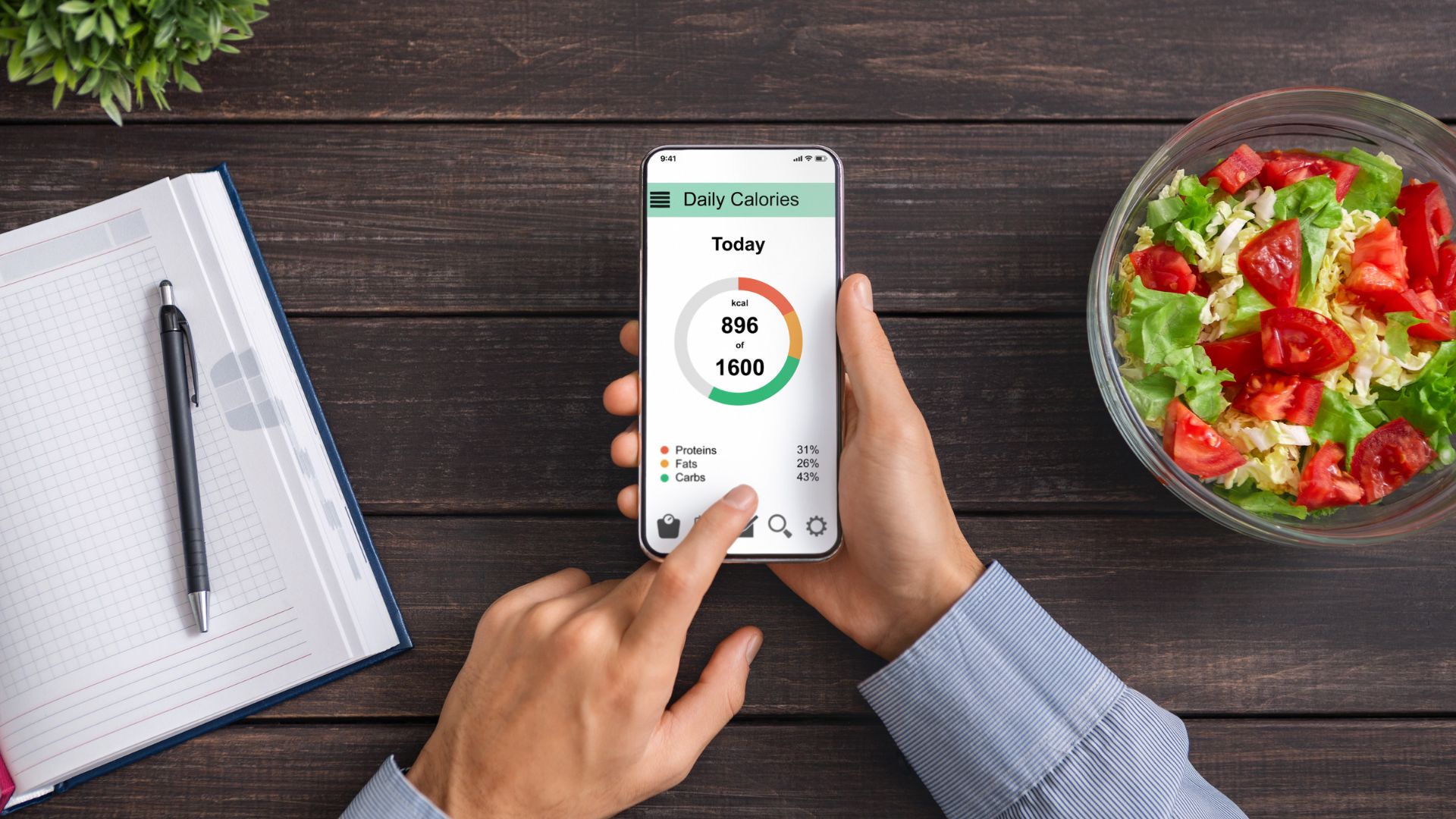
Many of us are finding ourselves cooking a lot more meals at home these days, and if you’re looking for inspiration, the right meal planning app can give you a tremendous set of resources. Meal planning apps offer everything from recipes and grocery shopping lists to nutritional tracking; some even offer grocery delivery, which can save you time.
Of course, to find the right meal planning app, you’ll need to consider your specific needs. Are you doing meal prep for just yourself, or do you have a large family to feed? Do you or your family have dietary restrictions? Are you trying to set nutritional goals, or create your own recipes?
Here, we've tried to take those questions into consideration by creating our very own list of the best meal planning apps in 2026. We researched a wide variety of meal planning apps, and we’ve ranked them accordingly. You’ll also find information about what each app offers and the type of home cook who might want to use it. Our list includes both standard and free meal planning apps so that there's an option for every budget.
The Top Meal Planning Apps in 2026:
.png) Eat This Much
Eat This MuchBest for Weight Management
Starting at $9.00Get Eat This Much Prepear
Best for Social Media Fanatics
Starting at $119.88Get Prepear Mealime
Best for Busy Cooks
Starting at $5.99Get mealime
The 8 Best Meal Planning Apps in 2026
1. Eat This Much
Best Meal Planning App for Weight Management
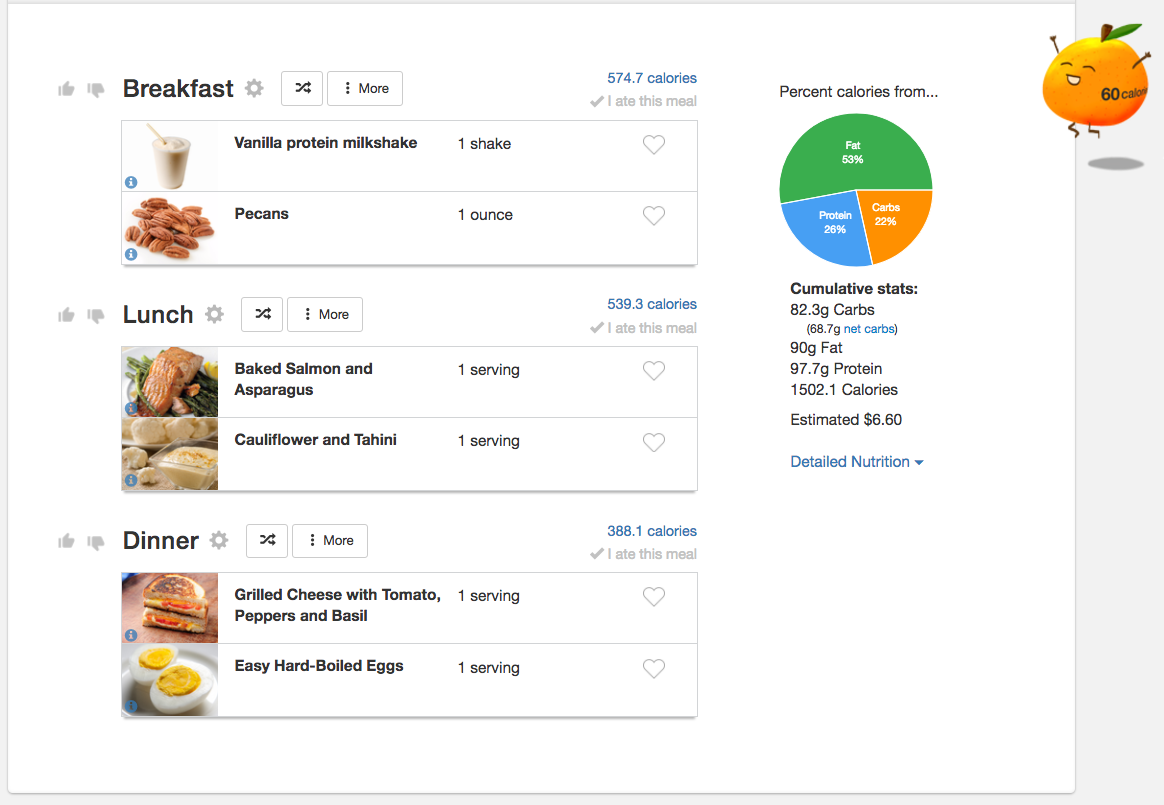
The Cost: Eat This Much offers a free Basic Membership. If you decide you're interested in their Premium Membership, you start with a 14-day free trial. After your free trial ends, Premium membership costs $9 per month, or you can save by committing to a full year of membership at $5 per month. Click here to sign up!
Features offered: With this meal plan's free Basic Membership, you'll have access to personalized meal plans and a calorie calculator. If you upgrade from the free meal planning app to the Premium Membership, you'll also have access to a weekly menu planner along with automated grocery lists.
About the service: Eat This Much helps you determine how much and what, exactly, to eat to achieve your health goals. You’ll start by selecting your preferred diet — whether that's paleo, vegetarian, vegan, keto, Mediterranean, or one of their other offerings.
The app also has a feature for calorie counters and macro dieters: You can enter the number of calories you’d like to consume per meal, and the app has a built-in calculator to help you generate a goal. Indicate how many meals you’d like to cook per recipe, and you’re ready to go. Eat This Much finds options that fit your lifestyle and health goals, and you can take your shopping list to the grocery store.With the free Basic Membership, you can only do day-to-day planning. The Premium Membership allows you to plan further ahead, access automatically generated grocery lists, print and email your plans, and coordinate grocery delivery.
Available on: iOS and Android; desktop
Pros
- Easy to scan and add foods
- Paid version of app gives access to grocery shopping and delivery
- Can set calories and macros
Cons
- Free version is a bit limited
- Easier to set up your preferences, meals and recipes in the desktop version
2. Prepear
Best Meal Planning App for Social Media Fanatics

The Cost: You can sign up and use Prepear for free, though you'll have to deal with ads and limited access to some features. They also offer a 7-day free trial of Prepear Gold, which allows full access to all of the app's features. After the free trial ends, your Prepear Gold membership costs $119.99 per year. Click here to sign up!
Features offered: Recipe ideas and organization, fully customizable meal plans, automated grocery lists, notification reminders, measurement adjustments, and sharing of favorite recipes.
About the service: Prepear is both a digital meal planning app and cooking-centric social media platform. With its social element, you can build your own cookbook by saving recipes and adding your own. You can also connect with friends to share recipes or ask questions. It’s a great way to find clarifications on techniques, learn about ingredient substitutions, and share ideas with a community of like-minded cooks.
With a free membership, you can also create your own meal plan. The Gold membership enhances the community aspect by allowing you to share meal plans. Select the recipes you’d like to cook, and you’ll receive a complete grocery list, and you can easily update serving info to adjust the recipes.
Prepear is worthwhile if you use the social features, so it’s an appealing option for a certain type of cook. If you’re not planning on getting social, however, other apps on this list offer similar functionality — we’d start with the free subscription to determine whether to pay for the premium features.
Available on: iOS and Android; desktop
Pros
- Recipes that the whole family will love
- Free version is available
- Offers lots of customization
Cons
- Basic version has limited features
- Billed annually, not month to month
3. Mealime
Great for Quick Cooking

The Cost: Mealime's basic membership is available for free. Or you can sign-up for a premium version for $2.99 per month. Click here to sign up!
Key features: Recipe ideas and organization, personalized meal plans, automated grocery shopping lists. The premium version includes nutritional information, a calorie counter, the ability to add notes to recipes, and more.
About the service: Mealime specializes in easy meals. Each recipe takes about 30 minutes, so if you’re hoping to save time with a meal planning app, this is a great place to start.
Mealime supports classic, flexitarian, low carb, pescatarian, vegetarian, paleo, keto, and vegan diets. Your diet plan can be updated at any time, and you can add allergies, dietary restrictions, and food preferences to further refine the recipes.
You can also easily adjust the number of servings (up to 6), share recipes, and change measurement units. If several people cook in your household, Mealime has an ample set of sharing features, so you can coordinate trips to the grocery store — and other family members can add recipes with a few taps.
Available on: iOS and Android; desktop
Pros
- Free version available
- Recipes don't take too long to make
- Can track food waste savings
Cons
- Free version of app is somewhat limited
- Can't manually add recipes
4. Paprika
Great for Recipe Organization
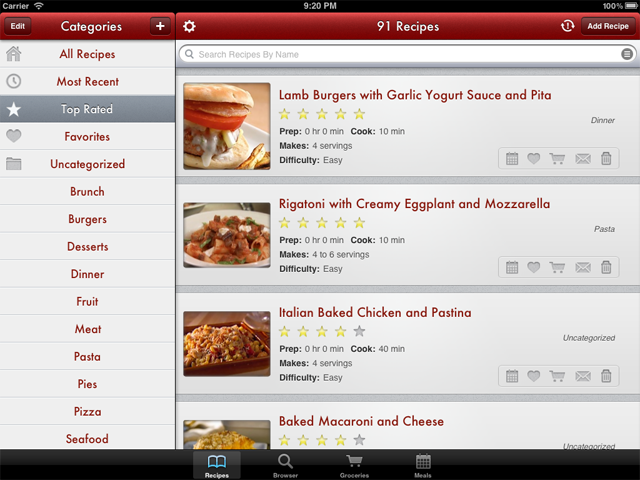
The Cost: Paprika is a $4.99 one-time purchase from the App Store or Google Play. Or, you can make a $29.99 one-time purchase for Windows or Mac desktop systems. Click here to sign up!
Key Features: Recipe organization, automated grocery shopping lists, meal planning, menus, timers, and cloud syncing.
About the service: Paprika is a meal planning app that syncs your saved recipes, menus, and preferences with all your devices. However, each version of the app is sold separately, so to get the full experience, you may need to purchase Paprika for several platforms. The good news: This isn’t a subscription service, so once you’ve paid, you’re good to go.
Paprika is designed with a built-in browser so you can search recipes from anywhere on the internet and save them to your recipe box. The app lets you plan meals on a weekly or monthly basis. It also generates grocery lists, which can be sorted by aisle. Smart recipes and built-in timers help to make cooking easier.
While Paprika’s recipe selection isn’t quite as expansive as some of the other options, it’s still formidable. While we don’t mind subscriptions, we also appreciate this app’s one-time-purchase model. If you’ve already got recipes you love, you can easily add them, and this meal planning app’s organizational tools should help you run your kitchen more efficiently.
Available on: iOs and Android; Mac and Windows.
Pros
- Just a one-time purchase, not a recurring subscription
- Streamlines grocery shopping
- Syncs your saved recipes, menus, and preferences with all your devices
Cons
- No built-in nutritional info or recipe database
- App is sold separately for each platform
5. Once a Month Meals
Great App to Stock Up Your Freezer

The Cost: Once a Month Meals offers a free mini meal plan, which includes 3 recipes, and all of the peripherals you'd normally get. That includes a grocery shopping list, prep instructions, recipe cards, and labels. Or, you can upgrade to a paid membership which can be charged monthly ($15 per month), quarterly ($45 every 3 months), or manually ($150 per year). Click here to sign up!
Features offered: Recipe ideas, meal planning centered on make-ahead and freezer-friendly meals, community support, and video guides.
About the service: Once a Month Meals is a little different from other meal planning services in that it focuses on long-term planning. The meals can be made up to a month in advance, then stored in the freezer. That’s an excellent approach if you have a hectic schedule — you’ll be much less tempted to order that late-night pizza if you’ve got some home-cooked burritos defrosting.
Members get access to extensive meal plans, which include options for Instant Pots, slow cookers, and traditional cooking techniques. The app also accommodates special dietary considerations, choose the diabetes-friendly, gluten-free, dairy-free, paleo, keto, vegetarian, or another option, and the app will adjust its selections. With grocery lists, cooking instructions, printable labels, thawing guides, and much more, Once a Month Meals is a fantastic resource for long-term meal prep.
Available on: iOS, Android, and desktop
Pros
- Helps with long-term planning and prep
- Accommodates many different diets
- Comes with community support and videos
Cons
- Not for those who hate prepping
- Less features with free version
6. Forks Over Knives
Great for a Plant-Based Diet
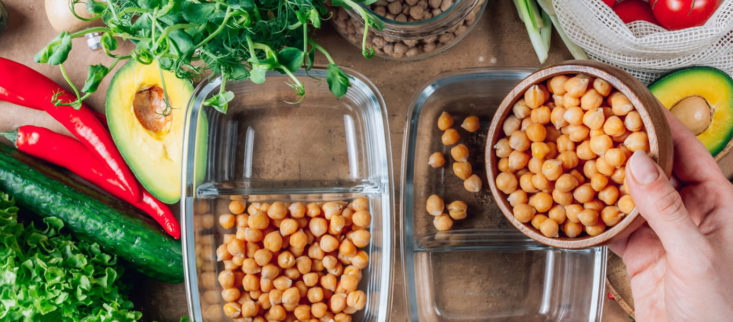
The Cost: Forks Over Knives offers a free 2-week trial, after which you can pay either $24.99 per month, $49.99 quarterly, or $119.99 per year to continue using the meal planning app. Click here to sign up!
Key features: Recipe ideas and organization, meal planning, automated grocery lists, and easy allergen avoidance.
About the service: You may recognize the name Forks Over Knives from the documentary of the same title. This meal planning app is built around the ideals of that film — the focus here is on healthy meals that are ethically sourced. It’s a vegan app, and while it’s one of the more expensive monthly subscriptions on this list, it has some high-end features that justify its cost.
The Forks Over Knives meal planning app currently has over 400 meals from dozens of chefs in their library, and they continue to add new healthy recipes on a weekly basis. You can instantly adjust the recipe selection to avoid common food allergens (for instance, nuts, gluten, and soy).
There’s also an active online community that acts as a great source of support — head online, and you’ll get additional recommendations for recipes, ingredient substitution ideas, and ideas to make meals more kid-friendly.
Available on: iOS and Android; desktop
Pros
- One of the few apps geared towards plant-based dieters
- 400+ meals to try
- Able to filter out food allergens
Cons
- Somewhat expensive
- Not intended for people who consume mostly animal products
7. Meal Prep Pro
Great App to Accompany Your Workouts

The Cost: Meal Prep Pro offers a free 7-day trial, after which you'll have the option to subscribe for $3.99 per month or $49.99 per year. Click here to sign up!
Key features: Recipe ideas and organization, automated grocery list, detailed nutritional information, integration with fitness apps, step-by-step video recipes, and a filter for allergies.
About the service: Meal Prep Pro is a fitness-oriented meal planning app that lets you choose your own plan. Dietary options include keto, vegan, Mediterranean, low-carb, and many others. Unlike many other apps, Meal Prep Pro also gives you the option to set your own macros — if you’re trying to eat a certain amount of protein, limit fats, or manage your carbs, Meal Prep Pro will take all of the work (and math) out of your meal planning.
Meal Prep Pro also integrates with fitness apps like Apple Fitness. After you've finished a meal, open the app and click the button labeled "Eaten." Meal Prep Pro will automatically log your calories and macros in your fitness app of choice.
This meal planner app simplifies intake tracking, which makes it an excellent option for meeting serious long-term fitness goals.
Available on: iOS and Android; desktop
Pros
- Accommodates your schedule for meal prep and dietary needs
- New recipes are added each week
- Integrates with other apps
Cons
- Adding your own recipes is a bit clunky
- Designed for batch cooking
8. Cooklist
Great for Minimizing Food Waste
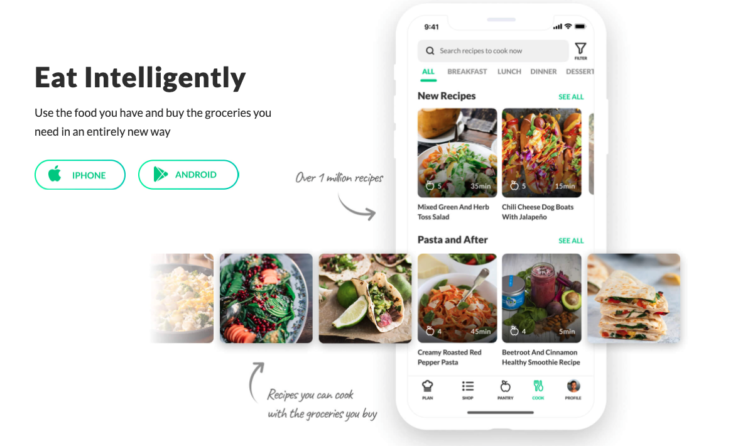
The Cost: Cooklist's basic features are free to use, Cooklist Pro will cost you $5.99 per month, or $47.99 per year. Click here to sign up!
Features offered: Recipe ideas and organization, meal planning, free grocery delivery, automated shopping lists, expiration notifications, and grocery price comparisons.
About the service: Cooklist is the perfect app for reducing your footprint. In addition to the standard features you’d expect from a cooking subscription, Cooklist keeps track of what's in your pantry, refrigerator, and freezer.
To get started, you’ll import your purchases from grocery stores or add them manually. Cooklist will send you a notification when something in your kitchen is nearing its expiration date, so you can prioritize your ingredients and avoid wasting your groceries.
Cooklist also allows you to make in-app price comparisons on ingredients, so you’ll know which local grocer offers the best price. To use this app effectively, you’ll need to spend some time inputting data, but it can save you a tremendous amount of money in the long run. The service has excellent recipes, and the built-in grocery delivery services don’t cost extra (you’ll still pay delivery fees and surcharges, but Cooklist doesn’t tack on a premium).
Available on: iOS and Android; desktop
Pros
- Free version is available
- Helps reduce food waste
- In-app price comparisons on ingredients
Cons
- You’ll need to spend quite some time inputting data
- Basic membership is not as good
Factors We Considered When Reviewing the Best Meal Planning Apps
We’ve written extensively about food subscription boxes, but we understand the appeal of cooking from scratch. Our editors were excited to dig into the latest meal planning apps, and they considered a number of factors when creating this list. Some of those factors included:
- Ease of Use - We looked for meal planning apps with simple, intuitive functionality — if we had to tap back and forth to try to figure out how to change a serving size or view cooking instructions, we didn’t include the service on this list. Some apps require some data input from the user (for instance, Cooklist, featured at the end of our list), but we made sure that those features were implemented in a straightforward way.
- Overall Cost - This list includes apps with one-time fees and subscription services. We included options with a range of pricing, but tried to make sure that each app’s features justified its cost.
- Recipe Saving and Sharing - Many households share the cooking duties, so we looked for apps with sharing features. We also prioritized apps that allow users to add their own recipes; if you make a great lasagna that you make every Sunday, we think that your meal planner should be flexible enough to allow for menu adjustments.
- Dietary Considerations - Sticking to a strict plan can be difficult, so we chose apps that accommodate different allergies, diets, and lifestyles. Whether you’re eating paleo, vegetarian, or you’re simply cutting down on red meat, you’ll find an app on this list that helps.
- Other Features - Some services focus on cutting food waste; others help meal preppers plan months in advance. We included apps geared towards different types of audiences, paying close attention to the features they use to make meal planning easier.
Hopefully, one of the above meal planning apps will help you reach your goals. If there are other meal planning apps we should add to the list, let us know — and happy cooking!
Looking for more food subscriptions?
Here are some helpful articles and lists featuring grocery delivery, meal kits, and prepared meal services:
- The 8 Best Meal Subscription Boxes of 2026
- The 8 Best Meal Kit Boxes of 2026 – Readers’ Choice Awards
- 13 Best Prepared Meal Delivery Services That Ship To Your Door
Which of these meal planning apps do you think you'll try? Let us know in the comments!


Please do not enter your email address in the Name field or in the comment content. Your email address will not be published. Required fields are marked *. Remember to post with kindness and respect. Comments with offensive language, cruelness to others, etc will not be approved. See our full comment policy here.